
Description
Description
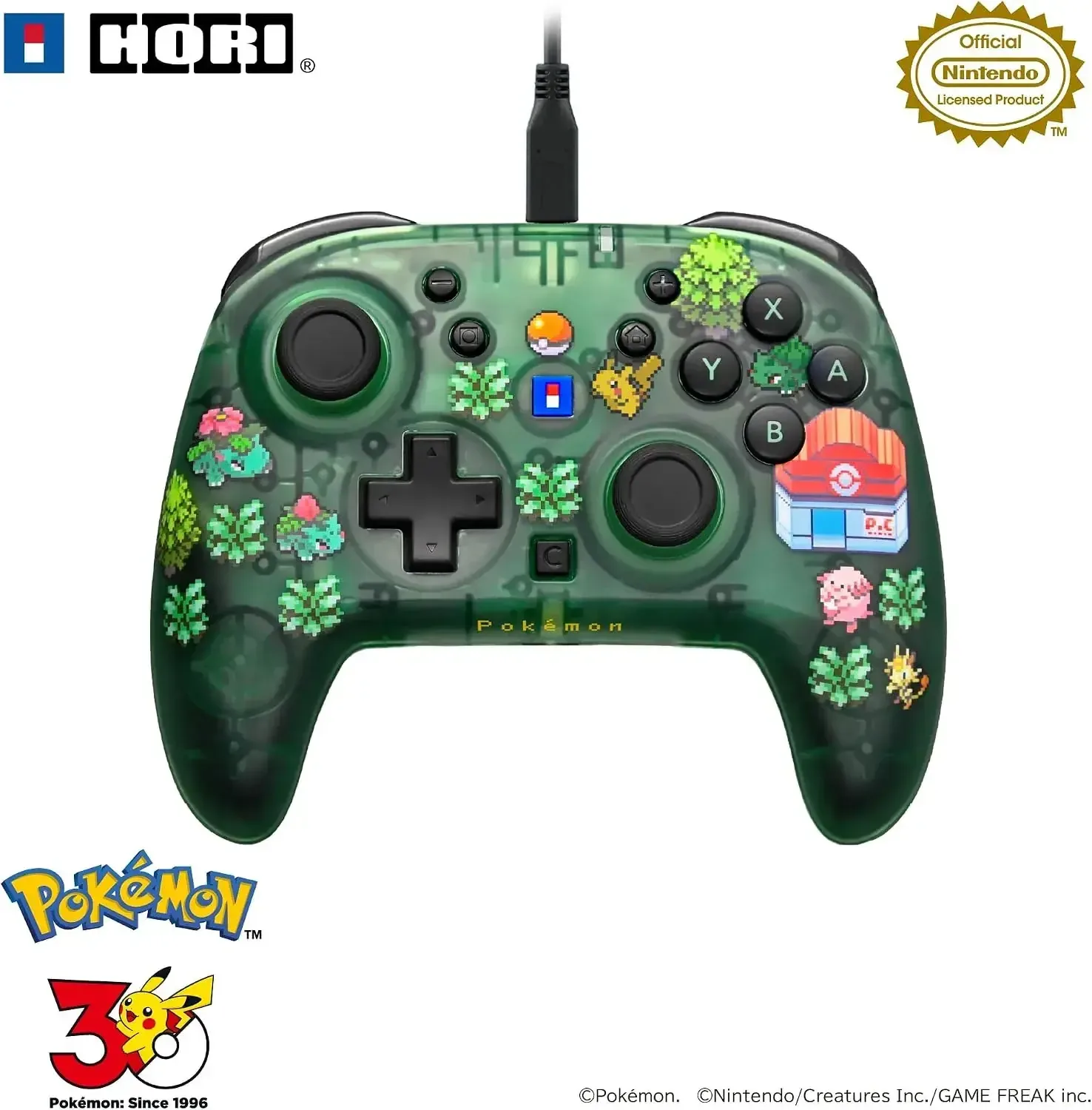
The Hori Wired HoriPad Turbo for Nintendo Switch Pixel Green is a licensed Hori controller that delivers a nostalgic retro look to your gaming station. Its distinctive Pixel Green shell has a transparent upper casing exposing the internal green PCB, creating a sleek skeletal style that sets it apart from typical gamepads. This wired HoriPad is loaded with premium functions aimed at elevating your play sessions, making it ideal for both casual players and serious competitors.
Aside from its striking appearance, the HoriPad Turbo comes packed with robust capabilities to provide a competitive advantage. A dedicated C button offers quick access to Nintendo Switch 2 voice chat, while the turbo feature supports adjustable rapid-fire rates and remappable button layouts. Featuring an ergonomic grip, integrated audio jack, and an extended 3-meter cable, this gamepad is designed for marathon gaming sessions, keeping you comfy and linked up.
Details
• Product Material: Plastic
• Manufacturer: Hori
• Made in: China
Features
Fully licensed by Nintendo and compatible with Nintendo Switch 2, Nintendo Switch, and Nintendo Switch OLED
Vintage-inspired Pixel Green look featuring a see-through top shell that exposes the inner circuit board
Includes a C button for convenient Nintendo Switch 2 chat access, mic muting, and volume adjustment
Turbo mode provides auto-fire and hold-to-fire options with three speed settings (5, 10, 20 presses per second)
Button remapping lets you assign up to two functions per button, plus two programmable rear buttons
Wired USB Type-A to Type-C connection (3m) delivers lag-free gameplay and features a button lock to avoid unintended inputs
Works with Windows 10/11 on PC for XInput-supported titles
Appropriate for all age groups
How to use
Plug the controller into your Nintendo Switch 2, Nintendo Switch, or Nintendo Switch OLED using the supplied USB Type-A to Type-C cable. For PC gaming, flip the mode switch to PC mode and connect to a USB Type-A port on your computer. Utilize the C button and other dedicated controls for chat access, volume changes, and microphone muting. Adjust turbo speed and remap button functions via the on-board controls. When playing on PC, verify that your games are XInput-compatible.
Care instructions
To maintain your controller in peak shape, clean it with a soft, dry cloth. Steer clear of harsh chemicals or rough scrubbers. Keep the gamepad in a cool, dry location away from direct sunlight and temperature extremes. Never expose the device to water or humidity. Unplug the USB cable when not in use and treat the cord with care to avoid damage.