
Description
Description
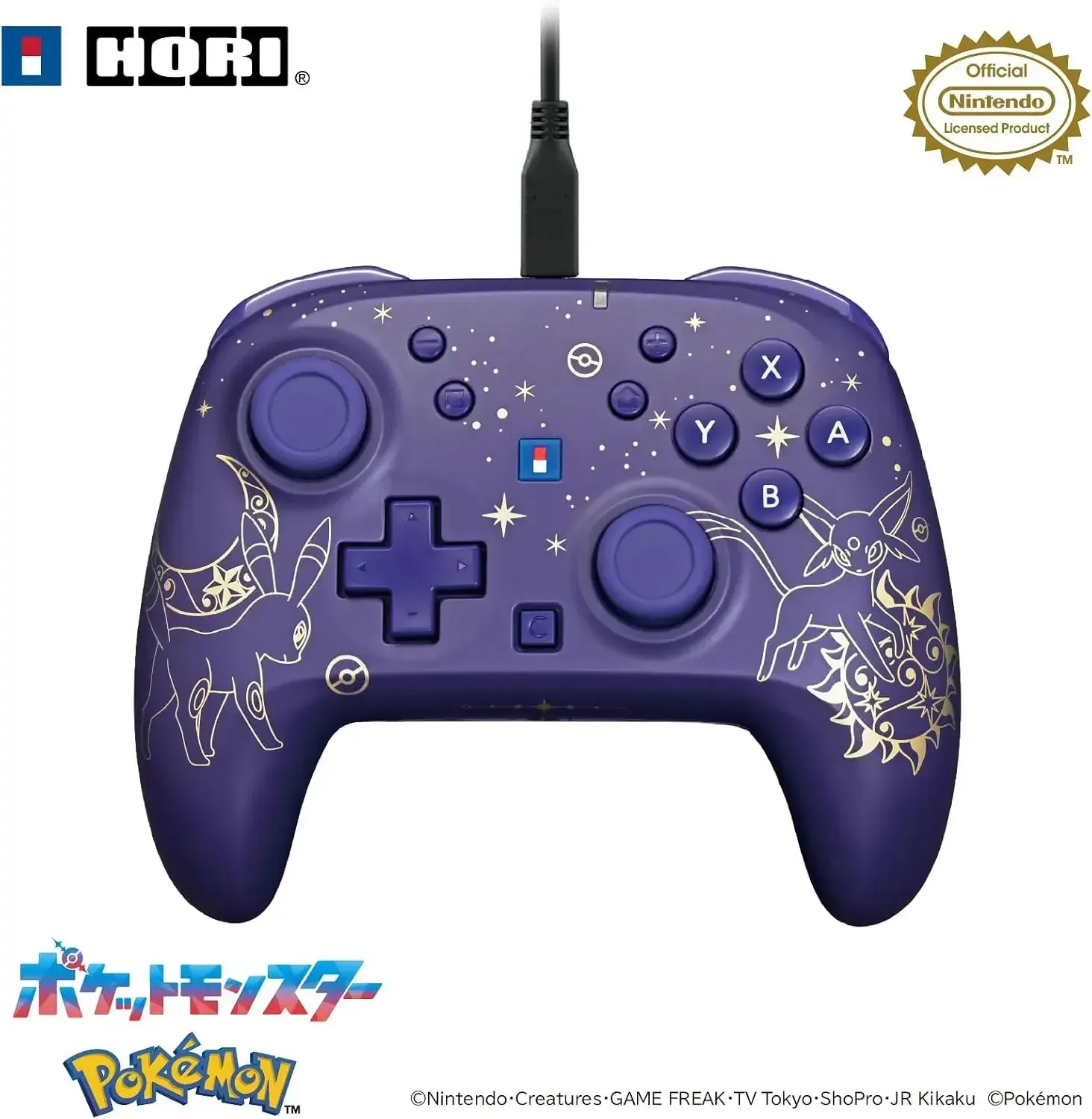
The Hori Wired Hori Pad Turbo Nintendo Switch 2 Controller pairs an officially licensed design with a dreamy starry-sky motif and gold accents inspired by Black and Effy. A matte surface creates a premium feel and adds distinctive style to your gaming setup. This controller is made for Nintendo Switch 2 and also works with Nintendo Switch and Nintendo Switch OLED Model.
Connect this wired controller using the included USB cable, which is approximately 3 meters long for comfortable gaming from an appropriate distance. It also supports Windows 10 and Windows 11 through a USB Type-A port with XInput-compatible games. Key points to note are that this is not a wireless controller and it does not feature gyro, acceleration, vibration, a player lamp, amiibo reading, or wake-up functions.
Details
• Product Material: Plastic
• Manufacturer: Hori
• Made in: China
Features
Officially licensed Nintendo product
Works with Nintendo Switch 2, Nintendo Switch, and Nintendo Switch OLED Model
Dreamlike starry-sky styling accented with gold Black and Effy details
Matte exterior offering a premium textured feel
Wired USB connectivity with an approximately 3 meter cable
Includes a USB Type-A to USB Type-C connection cable
Compatible with Windows 10 and Windows 11 when used with XInput-compatible games
Designed for users of all ages
Controller and connection cable are included
How to use
Plug the included USB Type-A to USB Type-C cable into the controller and a compatible USB Type-A port. Before using it with Nintendo Switch 2, install the latest system update; an internet connection is needed for this process. Use the controller with XInput-compatible games, since DirectInput-enabled titles are not supported. The HOME button cannot wake the Nintendo Switch 2 system. Using a headset may require disconnecting other headphones or headsets attached to the console or dock. Voice chat on Nintendo Switch is unavailable in the Nintendo Switch App, and chat features may require internet access, a Nintendo account, and a paid Nintendo Switch Online subscription.
Care instructions
Unplug the controller before cleaning, then gently wipe the outside with a soft, dry cloth. Protect the controller and cable from liquids, high temperatures, and strong cleaning agents. Wind the cable neatly for storage and do not sharply fold or tug it near the connection points.